


Local News - Latest & Smart
4.13.81K Reviews
App Specs
- Version
- 2.8.0
- Updated On
- License
- Free
- Downloads
- 10,000,000+
- Developer
- EASE Group
- Categories
- News & Magazines
- Platform
- Android
Screenshots



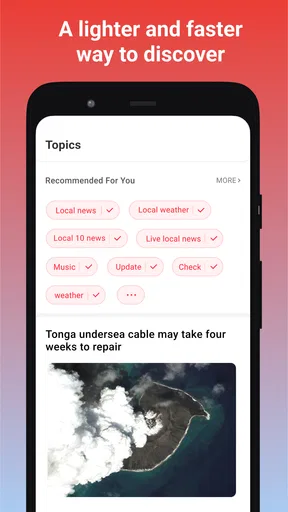


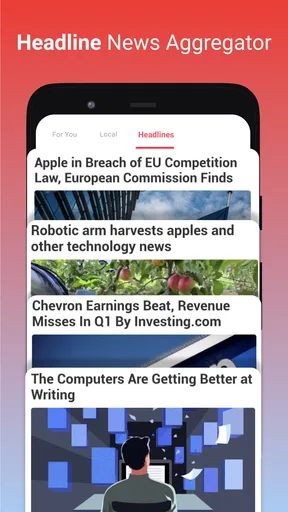
 Analysis by AppCompare
When I want to know what might affect my day nearby, national headlines are only part of the picture. I look for useful local coverage too: the road closure that changes a commute, a school announcement, or a change in the neighborhood. Local News - Latest & Smart is built around that more immediate perspective. It is a free news app from EASE Group, and its focus makes it most appealing when I want community-level stories alongside the larger events already covered elsewhere.
A local feed is useful when it answers a local question
The practical value of a neighborhood news app is not simply seeing more headlines. It is finding the stories that help me decide what to do, where to go, or what to keep an eye on. I would use a local feed as a quick check before heading out, then open a full article when a story seems likely to affect my plans. That habit keeps browsing purposeful instead of turning a short news check into another long scroll.
For example, imagine I have a free evening and am deciding whether to take a familiar route across town. A local update might prompt me to check whether a developing story affects that area before I leave. I would still confirm time-sensitive details with the relevant official source, but a nearby-news feed can help me notice which questions are worth checking. The best use is as an early signal, not as the final authority for urgent decisions.
Choosing what deserves attention
Personalizing the places I care about can make the feed more useful, but it also calls for a little restraint. I would start with the area where I live and add a workplace or frequently visited district only if those places genuinely affect my routine. Adding every place I have ever been can make a local feed feel broad again, defeating the point of choosing a neighborhood focus.
Notifications need similar tuning. I would treat them as a prompt to check a developing story, not as a complete briefing, and keep them limited to topics that would change my plans or deserve timely attention. If an alert is merely interesting, it can wait until I open the app. This is a small workflow choice, but it helps preserve the difference between being informed and being interrupted.
Where it fits among news options
Compared with a national news app, a community-focused feed has a narrower job: it can bring nearby coverage into view, while national services are better suited to broad political, business, and international context. A local newspaper’s own app may be a better fit for readers who want one publication’s reporting and editorial voice. I see this app as a convenient discovery layer for local matters, rather than a replacement for a trusted publication or a source that should settle every disputed claim.
That distinction matters when a story is important. I would use the feed to spot a local issue, then read the article closely and look for direct statements from the organization involved if the consequences affect me. For routine browsing, convenience may be enough; for decisions about safety, travel, schools, or public services, checking the original source is the more careful next step.
Worth Reading Before You Choose

Baby Panda World Brings Quick Play to Modern Phones, but Its Game Library Feels Busy

ESPN’s Live Game View Makes Following Close Games Easier

QuizzLand Review: A Good Fit for Short Trivia Breaks, Not Every Player

Basketball Stars: Multiplayer Is Fast, but Can It Recover When Matches Go Wrong?

WEBTOON Turns Phone Updates Into a Better Reading Routine

Link to Windows Runs on Shared Habits, Not Social Feeds
Getting to Know Your Neighborhood
The first thing that struck me about Local News - Latest & Smart is how it taps right into the pulse of your local community. You can easily customize your news feed to focus on the areas you care about most—whether that’s your hometown, the place you work, or even that quirky little district you love visiting on weekends. It’s all about making news relevant to you, and honestly, it does a great job at it.
Features That Keep You Hooked
The app isn’t just about reading; it’s about engaging. From local events to weather updates, everything feels tailored to fit your day-to-day life. There’s even a section for community discussions where you can chime in on hot topics or just see what your neighbors are buzzing about. It’s like having a finger on the pulse of what matters most to you.
- Real-time Updates: Never miss a beat with live news updates that keep you informed as stories unfold.
- Smart Notifications: Get alerts on the topics you care about without being spammed with irrelevant news.
- Community Interaction: Participate in local polls and discussions.
Using discussion and alerts thoughtfully
Community discussions can add color that a straight news story may not capture: they show which questions residents are asking and what details they find important. I would read them as conversation, though, rather than treat every comment as verified reporting. A useful approach is to notice a claim or concern in a discussion, then look for an article or a direct source before passing it along. That keeps community participation valuable without confusing opinion with confirmation.
Polls and discussions are also most useful when I approach them with a specific local interest in mind. If a subject affects my block, school area, or regular route, residents may raise practical questions I had not considered. If the topic is distant from my life, browsing every thread can add noise without helping me understand the news. The app works best when I choose where to spend attention instead of treating every conversation as essential.
Usability and Design
Now, let’s talk about the user experience. The app shines with its clean and intuitive design, making it super easy to navigate. Even if you’re not the most tech-savvy person, you’ll find it a breeze to set up your preferences and dive into your personalized news feed. The layout is sleek, with articles and updates that are easy on the eyes.
But it’s not all bells and whistles. The app keeps a balanced approach, ensuring that while you’re getting the latest hyper-local updates, you’re not overwhelmed with notifications. It’s like having a smart filter that knows exactly how much news you need.
What the version history tells me—and what it doesn’t
The current Android version is 2.7.1, and the app first appeared on July 29, 2020. That gives the product a history beyond a brand-new launch, but those facts alone do not tell me which individual features changed or how each update affected the feed. I would judge the present experience by whether the places and topics I select produce relevant coverage, rather than assume that a version number proves a particular improvement.
For someone who already uses it, the sensible way to assess a new release is to check whether the app still opens reliably, whether saved preferences remain useful, and whether alerts match the level of urgency they want. On Android, it supports devices running version 5.0 or later, which makes it accessible to a range of older devices. I would still keep the app current where possible, since using a maintained version is a straightforward way to get the latest available experience.
Who will get the most from it
I think this is a good fit for people whose daily routines are tied to a particular town or set of neighborhoods: commuters, parents following school-area news, residents keeping an eye on community events, and anyone who wants nearby stories without searching several sources every morning. It can also suit someone who has recently moved and wants a lightweight way to notice what is being discussed around their new home.
It is less suitable as a one-stop news source for a reader who mainly wants deep investigative work, a consistent newspaper’s editorial perspective, or comprehensive international coverage. In those cases, I would pair it with a publication that specializes in that reporting. Likewise, if I only want major headlines and have no interest in neighborhood happenings, a broad news app may be simpler and less distracting.
Trust, coverage, and the useful next check
Local coverage can vary in usefulness from one place to another, so I would give the feed a short trial in the areas I actually care about before relying on it as part of a routine. If the stories repeatedly help me notice relevant events, it has earned a place on my phone. If the feed feels thin or dominated by items that do not apply to my day, I would keep it as an occasional check rather than make it my main news habit.
A common question is whether a local-news app can replace checking a city, school, or service provider directly. For me, it should not. It can help surface a development, but when I need exact operating details, deadlines, closures, or instructions, I would confirm them with the responsible organization. That small extra step is especially worthwhile when a headline could affect a family plan or a time-sensitive trip.
Another practical question is whether I need to follow every area I visit. I would not. Start with home, then add another location only when it has a recurring role in your week. This keeps the local angle meaningful and makes it easier to tell why a story is appearing. If the app’s alerts still feel too frequent, I would reduce them before abandoning the feed altogether; a quieter setup may suit someone who prefers to read news on their own schedule.
The Wrap-Up
In a world where news often feels overwhelming or out of touch, Local News - Latest & Smart brings the focus back to what matters: your community. Whether it’s staying informed about local elections, school events, or just the latest restaurant opening, this app keeps you connected to the heart of your area.
Its scale suggests that many people have found a reason to try it: it has over 10 million installs, an average rating of 4.2 from around 35,000 ratings, and roughly 3,600 written reviews. It is free and rated for Everyone. Those figures are useful context, but they cannot tell me whether the coverage will match my own neighborhood; that depends on what appears in the places I follow and whether it helps with the questions I actually have.
What I would watch for next
As I use a local news app over time, I would pay attention to whether the feed keeps the balance I want: nearby stories that matter, alerts that feel worthwhile, and discussions that add perspective without replacing reporting. Those are the practical signs that tell me whether it is still earning a spot in my routine. I would also notice whether the areas I care about remain easy to follow as my commute or interests change, and adjust my selections accordingly.
So, if you’re looking for a way to stay in the loop without sifting through endless irrelevant updates, give Local News - Latest & Smart a whirl. It’s like having a local news channel right in your pocket, and trust me, you won’t regret it.
Pros
- User-friendly interface for easy navigation.
- Real-time updates on local events.
- Customizable news feed by interest.
- Minimal ads for uninterrupted reading.
- Offline reading mode available.
Cons
- Limited international news coverage.
- Occasional app crashes reported.
- Requires constant internet for updates.
- No dark mode option available.
- Push notifications can be overwhelming.
FAQs for Local News - Latest & Smart
What features does Local News - Latest & Smart offer?
Local News - Latest & Smart provides users with up-to-date news feeds tailored to their location. It aggregates stories from various sources, ensuring a comprehensive view of local events. Users can customize their news feed, receive notifications for breaking news, and explore different categories like politics, sports, and entertainment.
Is Local News - Latest & Smart free to use?
Yes, Local News - Latest & Smart is free to download and use. However, it may offer in-app purchases or subscription options for premium features, such as ad-free browsing and access to exclusive content. Check the app store listing for specific details on pricing and purchase options.
How does Local News - Latest & Smart ensure news accuracy?
The app curates news from reputable and verified sources, prioritizing credibility. It uses algorithms and editorial oversight to filter out unreliable content. Users can also report any inaccurate articles directly through the app, helping maintain the integrity of the news provided.
Can I personalize my news feed in Local News - Latest & Smart?
Absolutely! The app allows users to personalize their news feed by selecting preferred news categories and topics. You can also set your location to receive more relevant news updates. This customization ensures you only see content that matters most to you.
Does Local News - Latest & Smart support offline reading?
Yes, Local News - Latest & Smart supports offline reading. You can save articles to read later when you don't have an internet connection. This feature is particularly useful for users who are frequently on the go or have limited data access.


